Photoshop: Sketch Filters
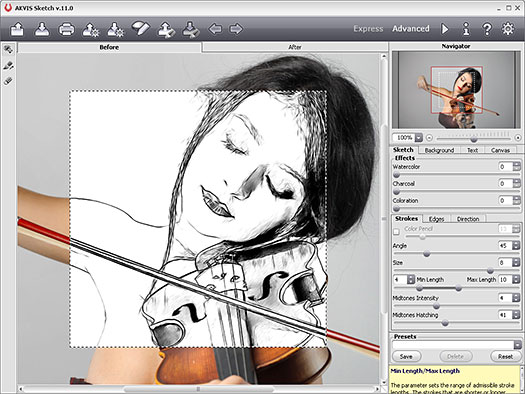
Sketch filters use linear effects and textures to create the look of handdrawn artwork or very basic reproduction techniques. They are mostly monochromatic, and the colors set through the Color Picker.
Charcoal
Use for rough dark sketches. Chalk and Charcoal will give a finer result, giving the impression of charcoal having been used for the shadows, chalk for the highlights, and the image being drawn on midtone gray paper.
Photocopy
Photocopiers were once notoriously bad at reproducing photographs. For a retro 1960s cheap newsletter look, use this filter. For very strong graphic results, increase both the Detail and the Darkness.
Graphic Pen
Some illustrators stroke in detail onto a drawing using a very fine graphic pen. use this filter to give the same impression. It offers a choice of four directions of stroke, length of stroke, and balance of density. For softer pencil-like results, choose a gray for the Foreground Color.
Halftone Pattern
Use this impression of a simple dot screen by converting a photograph into a series of tiny dots for photomechanical reproduction. For some interesting pop art effects, enlarge the screen in black and white and then add block colors. Your image will then require some sharpening.
Stamp
Use this filter to make your image look like a very simple rubber stamp. For bold graphic effects, keep detail to a minimum.
Conte Crayon
This filter resembles Conte Crayons drawn onto a variety of heavily textured surfaces, including brick, sandstone, and canvas, but sadly not paper. you can control the foreground and background colors, the relief and scaling properties of the texture, and the direction of the light illuminating the surface.
Charcoal
Use for rough dark sketches. Chalk and Charcoal will give a finer result, giving the impression of charcoal having been used for the shadows, chalk for the highlights, and the image being drawn on midtone gray paper.
Photocopy
Photocopiers were once notoriously bad at reproducing photographs. For a retro 1960s cheap newsletter look, use this filter. For very strong graphic results, increase both the Detail and the Darkness.
Graphic Pen
Some illustrators stroke in detail onto a drawing using a very fine graphic pen. use this filter to give the same impression. It offers a choice of four directions of stroke, length of stroke, and balance of density. For softer pencil-like results, choose a gray for the Foreground Color.
Halftone Pattern
Use this impression of a simple dot screen by converting a photograph into a series of tiny dots for photomechanical reproduction. For some interesting pop art effects, enlarge the screen in black and white and then add block colors. Your image will then require some sharpening.
Stamp
Use this filter to make your image look like a very simple rubber stamp. For bold graphic effects, keep detail to a minimum.
Conte Crayon
This filter resembles Conte Crayons drawn onto a variety of heavily textured surfaces, including brick, sandstone, and canvas, but sadly not paper. you can control the foreground and background colors, the relief and scaling properties of the texture, and the direction of the light illuminating the surface.